
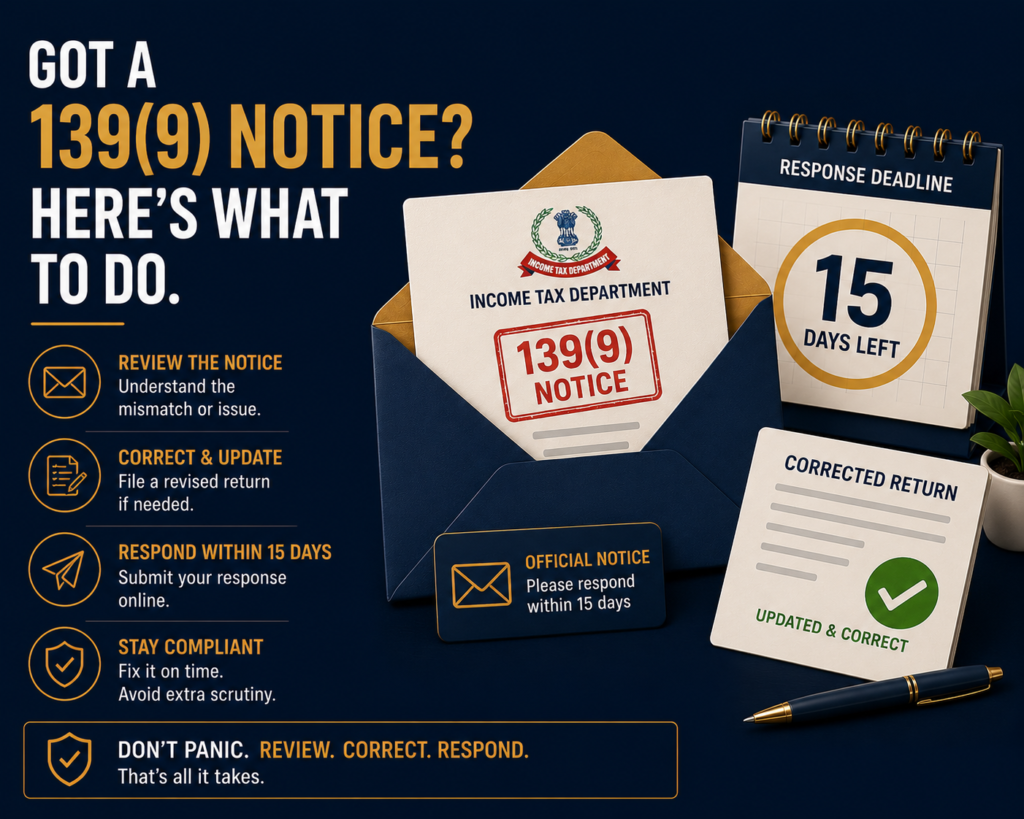
If you have received a defective return notice 139(9), do not panic — but do not ignore it either. This is one of the most common notices the Income Tax Department issues, and for most taxpayers it is a procedural correction, not an accusation.
The catch is the timeline: you have 15 days to respond, and if you miss it, the return is treated as invalid — legally, as if you never filed at all. This post explains exactly what the notice means, why it gets issued, what to do, and the mistakes that turn a small fix into a much bigger problem.
Quick answer
A defective return notice 139(9) means the Income Tax Department has found errors or missing information in your filed return and is giving you 15 days to fix it. Respond on the e-filing portal under Pending Actions → e-Proceedings. If you ignore it, your return becomes invalid.
Before acting, check:
- Is the notice genuine and addressed to your PAN, with a valid DIN (Document Identification Number)?
- What exactly is the defect — read the notice PDF, do not guess?
- Do you have time to respond, or do you need to request an extension?
What a defective return notice 139(9) actually means
Section 139(9) of the Income Tax Act 1961 gives the Assessing Officer the power to treat your return as defective if it is incomplete, inconsistent, or fails to meet the requirements set out in the Act and the related Rules. A defective return is not invalid by default — the law deliberately gives you a chance to fix it. If your return is found defective, you get 15 days from the date of receiving the notice, or such time as the notice specifies, to rectify the defect. Income Tax Department
The notice arrives by email at your registered email ID and is also posted to the e-filing portal. The PDF is password-protected: the password is your PAN in lowercase followed by your date of birth in DDMMYYYY format. For example, if your PAN is MNOPQ1212C and your date of birth is 12 October 1987, the password is mnopq1212c12101987.
Importantly, this notice is curative, not penal. Issuance of a defective return notice by itself does not attract penalty. However, if the return becomes invalid due to non-rectification, consequential penalties and interest may arise under other provisions of the Act. taxbizmantra
Common reasons the notice is issued, with examples
The defect is always stated in the notice, but reading “income mismatch with Form 26AS” without context can be unhelpful. Here are the situations that most often trigger a 139(9), each with a realistic example.
TDS claimed but corresponding income not offered for tax
This is the single most common trigger. You have claimed TDS credit, but the income against which the TDS was deducted is not reported in your return.
Example: Rahul, a salaried employee, also did freelance consulting on the side. His client deducted ₹5,000 TDS under Section 194J and reported it. Rahul filed ITR-1 showing only salary, claimed the ₹5,000 TDS credit, but did not declare the consulting fees. The system flagged a mismatch — TDS credit without corresponding income — and issued a 139(9).
Wrong ITR form for your income type
Each ITR form covers a specific set of income sources. Filing on a form that does not support your actual income triggers a defect.
Example: Priya filed ITR-1, but ITR-1 does not have a section for capital gains. She had sold some equity shares during the year and reported only her salary, missing the capital gain entirely. The department’s processing detected the share sale through SFT (Statement of Financial Transactions) data and issued a 139(9) flagging the form mismatch. If you are unsure which form fits your income profile, our ITR form selection guide walks through the rules for each form.
Books of accounts not reported correctly
For taxpayers with business or profession income, the balance sheet and profit-and-loss schedules must be complete. Leaving these blank or partially filled triggers a defect — as does cases where presumptive income has been declared but turnover details are inconsistent. We cover the threshold and reporting rules in detail in our presumptive taxation under 44AD guide.
Example: Arjun runs a small retail shop and filed ITR-3 with business income. He filled the income figures but left the balance sheet schedule blank. The department issued a 139(9) asking for the missing schedule.
Gross receipts in Form 26AS higher than income reported
If the income shown across all heads in your return is lower than the gross receipts on which TDS has been deducted (as visible in Form 26AS or AIS), the system reads this as under-reporting.
Tax payable but Gross Total Income shown as nil
If you have entered zero or “nil” under Gross Total Income across every head but have still computed and paid tax, the return is internally inconsistent and gets flagged.
Unverified return with missing schedules
If you filed your ITR but did not verify it within the prescribed time, and there are also missing schedules or incomplete data, the system can flag this when a verification deadline has elapsed and required schedules are missing. For the methods and the 30-day window, see our guide on how to verify ITR after filing.
The infographic below summarises the most common defect categories and their typical causes — useful before you open your own notice and try to match it to a category.
The 15-day response window and what happens if you miss it
The 15-day clock starts from the date you receive the notice. If the return is not rectified within the prescribed time, the return may be treated as invalid, and consequences such as penalty, interest, non-carry forward of losses, and loss of specific exemptions may apply. Income Tax Department
An invalid return is not a small problem. It means:
- Any refund you were due is not processed.
- Late-filing fees apply if the due date for the relevant assessment year has passed.
- Losses cannot be carried forward to future years.
- Specific exemptions tied to timely filing are forfeited.
- The department may proceed with a best-judgment assessment based on the information it already has.
If you need more time, you can request an extension from the Assessing Officer through the portal before the 15-day period expires. Grant of an extension is discretionary.
How to respond to a defective return notice 139(9) step by step
The response process is entirely online:
- Log in to the Income Tax e-filing portal using your PAN and password.
- Navigate to Pending Actions → e-Proceedings → For Your Action.
- View the notice by clicking on “Notice/Letter PDF” and read the exact defect description and the response deadline.
- Click Submit Response. You will be asked whether you Agree or Disagree with the defect.
- If you Agree: correct the return in the offline utility (download from the portal), generate the corrected JSON file, and upload it as your response. For minor defects, you may be able to fix them directly online.
- If you Disagree: select the Disagree option and enter your reasons in the text box provided. This route is appropriate where, for example, you have already filed a revised return correcting the issue, or where you believe the department’s premise is wrong.
- Submit and download the acknowledgement. Once submitted, the response cannot be withdrawn or updated.
A practical alternative: if the time for filing a revised return under the relevant provision has not yet lapsed for that assessment year, you can simply file a revised return correcting the defect, and that often resolves the matter without separately responding to the 139(9). Once a revised return is filed and the defect is corrected, you need not respond separately to the 139(9) notice. myITreturn
When you should not just hit “Agree” and submit
The Agree option looks easy, but using it blindly can make things worse. Step back if:
- You do not understand the defect. Auto-agreeing without reading the notice can lock in an incorrect classification of income, a wrong ITR form choice, or an avoidable tax liability. The response cannot be withdrawn.
- The defect description seems wrong. The department’s processing system can occasionally flag legitimate filings. If you have already filed a revised return correcting the issue, or if Form 26AS itself has the error, choose Disagree and state your reasons clearly.
- The notice itself looks suspicious. Phishing notices imitating 139(9) emails do exist. Verify the sender domain, check that the PAN and assessment year match yours, and confirm the notice is also visible on the e-filing portal under your login.
- You are close to the 15-day deadline and the fix is complex. Request an extension in writing rather than submit an incomplete or rushed response that itself becomes another defect.
- The defect involves business income, audit cases, or capital gains schedules. These are not “just click Agree” situations. The corrected JSON must reconcile with the audit report, schedules, and the rest of the return.
Documents and checks before responding
Keep these ready:
- The original ITR acknowledgement and the JSON file used for filing
- The 139(9) notice PDF, opened using the PAN-plus-date-of-birth password
- Form 26AS and AIS for the relevant assessment year
- TDS certificates (Form 16, 16A) supporting credit claimed
- Books of accounts, balance sheet, and P&L (for business or profession income)
- Audit report, where applicable
- Bank statements supporting deposits or receipts
- The latest version of the offline ITR utility from the e-filing portal
Final takeaway
A defective return notice 139(9) is a warning shot, not a verdict. The department is asking you to fix something, and the law gives you 15 days to do it cleanly. The danger is not the notice itself but the silence that often follows it — taxpayers either ignore it or click Agree without understanding what they have just agreed to.
Read the defect, match it to your return, decide whether Agree or Disagree is the right response, and submit on the portal within the window. Treated this way, a 139(9) ends in routine processing, not in an invalid return and a bigger problem.
Received a defective return notice 139(9) and unsure what the defect actually is, or how to respond before the 15-day deadline? eTaxMate can help you read the notice, identify the correct fix, and file the response on the portal correctly.
This blog post is for general information only and does not constitute professional advice. Tax laws are subject to change and their application depends on individual facts and circumstances. Readers should consult a qualified professional before taking any action based on this content. eTaxMate accepts no liability for any action taken based on the information in this post.
Frequently Asked Questions
1. How many days do I have to respond to a defective return notice under Section 139(9)?
You have 15 days from the date of receiving the notice. If the deadline is approaching and you cannot rectify the defect in time, you can submit a written request for extension to the Assessing Officer through the e-filing portal. Grant of an extension is discretionary and depends on the reasons you provide. Missing the window without an extension can render the return invalid.
2. What happens if I ignore a 139(9) notice?
If you do not rectify the defect within 15 days or any extension granted, the return is treated as invalid — legally, as if you never filed. Consequences can include late-filing penalties, interest, denial of carry-forward of losses, loss of specific exemptions, and processing of any refund being halted. The department may also proceed with a best-judgment assessment based on available data.
3. What is the password to open the 139(9) notice PDF?
The PDF is password-protected with your PAN in lowercase followed by your date of birth in DDMMYYYY format, with no spaces or special characters. For example, if your PAN is MNOPQ1212C and your date of birth is 12 October 1987, the password is mnopq1212c12101987. Use exactly this format — extra spaces or capitals will fail.
4. Can I file a revised return instead of responding to the 139(9) notice?
Yes, if the time limit for filing a revised return for that assessment year has not yet expired. Filing a revised return that corrects the defect generally resolves the matter, and a separate response on the portal is not required once the defect is fixed. Confirm on your e-filing dashboard that the notice status has updated after the revised return is processed.
5. Should I click Agree or Disagree on the response screen?
Click Agree if you accept the defect and intend to upload a corrected return through the offline utility. Click Disagree if you believe the notice is incorrect — for instance, where you have already filed a revised return correcting the issue, or where you can show the department’s premise is wrong. Disagreement must be supported by clear written reasons. Once submitted, the response cannot be withdrawn.
6. Does a 139(9) notice mean there is a penalty?
Not by itself. A 139(9) notice is a curative step, giving you a chance to fix the return without penalty. However, if you fail to rectify the defect and the return becomes invalid, consequential penalties, interest, and other consequences under the Income Tax Act can apply. Treated promptly, a 139(9) notice usually ends in routine processing of the corrected return.