
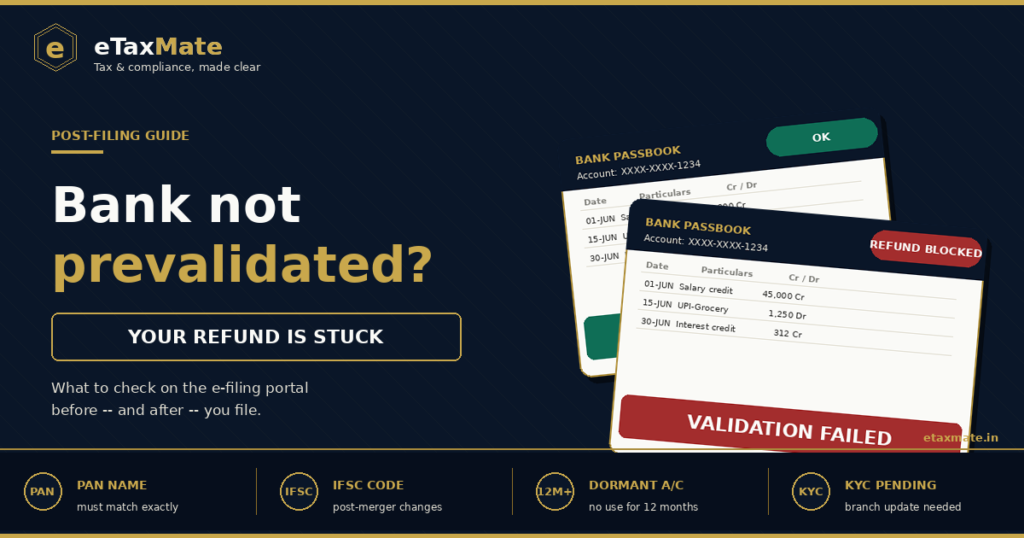
You filed your return correctly. CPC processed it and approved a refund. The intimation under Section 143(1) confirms the amount. Weeks pass. Nothing arrives. You log in to check, and there it is — a small line saying “Refund Failure” because your bank account was never prevalidated, or the validation lapsed without you noticing. Bank prevalidation is one of the 8 common reasons your refund is stuck — and the most fixable. This post explains exactly what bank account prevalidation refund means, what to check before filing, and how to fix a failed validation.
Quick answer
The Income Tax Department only credits refunds to bank accounts that have been prevalidated on the e-filing portal and where the PAN matches the account holder’s PAN exactly. Prevalidation is a one-time setup, but it can fail or lapse silently — most commonly after a bank merger, a name correction, or when the account becomes dormant.
Before filing your return, check:
- Is your refund-receiving bank account prevalidated?
- Is the PAN on that account identical to the one in your return?
- Is the account active and not subject to KYC restrictions?
Why prevalidation exists in the first place
Until 2019, refunds were issued by cheque or ECS to whatever bank account you mentioned in your return. The system trusted the data you entered, and errors — wrong IFSC, wrong account number, mismatched name — caused a high failure rate. Refunds bounced back, taxpayers waited months, and the department spent considerable effort reissuing them.
Prevalidation fixed this by shifting the verification step earlier. Now, before the return is even filed, the bank account has to be checked once and confirmed. The portal sends a request to the bank, the bank confirms the account exists and that the PAN matches, and only then is the account marked “Validated” and made eligible to receive refunds.
This is the only legal channel for receiving an income tax refund today. There is no workaround, no manual ECS, no cheque option. If the account is not prevalidated, the refund will not move.
What “prevalidated” actually means on the portal
On the e-filing portal under Profile → My Bank Account, every linked account shows one of these statuses:
- Validated — the account is verified and eligible for refunds. This is the only status that works.
- Validation in progress — the request has been sent to the bank but no response yet. Typically resolves within 10 to 12 working hours, sometimes up to 48 hours.
- Validation failed — the bank rejected the request. The reason is usually shown alongside.
- Validated and EVC enabled — the account is verified and can also be used to generate an Electronic Verification Code for e-verifying returns.
There is also a separate column showing whether the account is “Nominated for Refund” — a green tick here means this is the account where any refund will be credited. You can prevalidate multiple accounts but only one can be nominated for refund at a time.
A common mistake: Rahul, a salaried employee, prevalidated his salary account in 2022 when he started using the portal. He changed jobs in 2024, his old salary account became dormant, but the validation status on the portal still showed “Validated.” He filed his AY 2025-26 return claiming a refund of ₹38,000. CPC processed the return, sent the credit instruction to the bank, and the bank rejected it because the account was inactive. The portal then updated the status to “Validation failed” — but only after the refund had already failed.
The lesson: a green “Validated” tick is necessary but not always sufficient. The account must also be active and operational at the moment of credit.
The 7 most common bank account prevalidation refund failures
1. PAN-account name mismatch
The single most common cause. The name on the bank account must exactly match the name on the PAN — including initials, middle names, and exact spelling. “Priya R Sharma” on the PAN and “Priya Sharma” on the bank account will fail.
If you recently changed your name (post-marriage, legal correction), update both PAN and bank records before prevalidating.
2. Account became dormant
Banks classify an account as dormant after no customer-initiated transaction for 12 months. A dormant account cannot receive credits without reactivation. This catches taxpayers who keep an old account open “just for the refund” and stop using it for daily banking.
3. IFSC code changed after a bank merger
The 2019–2020 merger wave consolidated several public sector banks. SBI absorbed associate banks, PNB merged with OBC and United Bank, Bank of Baroda merged with Vijaya and Dena, and Canara Bank merged with Syndicate Bank. Many old IFSC codes were retired. If your prevalidated account uses an obsolete IFSC, the validation may still show “Validated” from the original check, but the credit will fail.
4. Joint account with primary holder PAN mismatch
For a joint account, only the primary holder’s PAN is checked. If your name is second on the account, the system will reject prevalidation even though you are a legitimate joint holder. The fix is either to prevalidate an account where you are the primary holder, or to ask the bank to reorder the holders.
5. Account number entered with formatting errors
Spaces, hyphens, leading zeros that were dropped, or extra digits cause failure. Some net banking portals display the account number with separators that should not be entered on the e-filing portal. Always copy the unformatted account number from a passbook or bank-issued document.
6. KYC pending or incomplete
If your bank flags the account as KYC-pending — usually after a re-KYC trigger — the account is partially restricted. Credits may still be received in some banks but rejected in others. The fix is to complete re-KYC at the branch or via the bank’s app.
7. Account closed but still showing as validated
Validation status on the portal does not auto-update when an account is closed. If you closed an account after prevalidating it, the status will continue to show “Validated” until the next refund attempt fails. Always remove closed accounts from the portal proactively.
Below is a visual map of these 7 failures and the specific fix for each.
How to prevalidate and fix a failed account
Prevalidation takes about five minutes if everything matches.
Log in to the Income Tax e-filing portal, go to Profile → My Bank Account, and click “Add Bank Account.” Enter the account number, IFSC, account type (savings or current), and account holder name exactly as it appears in the bank’s records. Submit. The portal sends the request to the bank. Status will show “Validation in progress” — refresh after a few hours, and either it becomes “Validated” or “Failed” with a reason.
If you e-verify returns using a bank-generated EVC (Electronic Verification Code), the same account must also be EVC-enabled. After validation, click “Enable EVC” alongside the validated account. This is a separate step from prevalidation itself.
To fix a failed validation, identify the cause from the failure reason shown, fix it (whether at the bank or in your PAN record), then come back and click “Re-validate.” Do not delete and re-add the account unless the cause is wrong account number — re-validation handles most cases.
For a refund that already failed because of an unvalidated account, validate a working account first, then go to Services → Refund Reissue, select the assessment year, choose the validated account, and submit. The refund is not lost — it stays in CPC’s system until you provide a working account.
When you should not delay prevalidation
Some situations make prevalidation urgent rather than routine.
If you have an outstanding Section 245 adjustment against your refund, you cannot afford a stuck account — the adjustment moves on schedule whether or not your bank is validated, and any residual amount that should reach you will fail to credit.
If you are filing close to the 31 July deadline and the validation still shows “in progress,” do not assume it will resolve in time. Validate well before filing. Refund processing depends on the validation being live at the moment CPC sends the credit instruction, not at the moment you filed.
If you have changed banks or merged accounts in the past 12 months, treat the previous prevalidation as stale. Re-add the current primary account and validate fresh.
If you are an NRI receiving a refund into an NRO account, additional checks apply — the NRO account must be linked to your PAN, and the bank’s NPCI account-Aadhaar mapping check should show your account as eligible. NRE accounts cannot receive income tax refunds.
Documents and details to keep ready
Before starting prevalidation, keep these handy:
- PAN card
- Aadhaar (for OTP confirmation if prompted)
- Bank account number, exactly as on the passbook (no spaces or separators)
- IFSC code (current, not legacy from before any merger)
- Account holder name, exactly as the bank has recorded
- Mobile number registered with both the bank and the e-filing portal
- A recent bank statement or passbook entry, for cross-checking spelling and numbers
- For NRIs: confirmation that the NRO account is linked to the PAN
Final takeaway
Prevalidation is the smallest possible step in the income tax refund process and the one that breaks the most refunds. The data has to match — exactly — between the PAN, the bank’s records, and the e-filing portal. A green “Validated” tick today does not guarantee a working account tomorrow if the account becomes dormant, the IFSC changes, or KYC lapses. The fix is to check the validation status before filing, not after. Five minutes spent now avoids weeks of follow-up later.
Bank account prevalidation refund-related confusion or need expert help with a stuck refund or failed validation? eTaxMate can help you review your situation, identify what applies to you, and handle filing or compliance correctly.
This blog post is for general information only and does not constitute professional advice. Tax laws are subject to change and their application depends on individual facts and circumstances. Readers should consult a qualified professional before taking any action based on this content. eTaxMate accepts no liability for any action taken based on the information in this post.
Frequently Asked Questions
1. What does bank account prevalidation mean for income tax refunds?
Prevalidation is a one-time check done on the e-filing portal where the Income Tax Department verifies that a bank account exists, the account holder’s PAN matches the PAN on the return, and the account can receive electronic credits. Only prevalidated accounts are eligible to receive income tax refunds. There is no alternative — refunds are no longer issued by cheque or to unvalidated accounts.
2. How long does bank prevalidation take?
For most accounts, validation completes within 10 to 12 working hours, though it can take up to 48 hours during peak filing season. The status moves from “Validation in progress” to either “Validated” or “Failed.” If it stays in progress for more than two working days, it usually indicates a connectivity issue at the bank’s end and the request should be retried.
3. Why does my prevalidated account still fail to receive the refund?
Validation status reflects the moment of the original check, not the current state of the account. If the account became dormant, was closed, had its IFSC changed after a bank merger, or lost active KYC status after the original validation, the refund credit will fail even though the portal still shows “Validated.” Always check that the account is currently active before filing.
4. Can I prevalidate an NRE account for receiving an income tax refund?
No. NRE accounts cannot receive income tax refunds because they are designated for repatriable foreign earnings only. NRIs must use an NRO account, which must be linked to their PAN and pass the bank’s account-Aadhaar mapping check. The NRO account is then prevalidated on the e-filing portal in the same way as any other bank account.
5. What is the difference between prevalidation and EVC enablement?
Prevalidation makes the account eligible to receive refunds. EVC enablement is a separate add-on that lets the same account generate an Electronic Verification Code for e-verifying your return. An account can be validated without being EVC-enabled, but not the other way around. EVC enablement is optional unless you specifically use bank-EVC as your e-verification method.
6. My refund failed because the account was not prevalidated. Is the money lost?
No. The refund is not lost — it stays in CPC’s system until a working account is provided. Validate a current bank account on the e-filing portal, then go to Services → Refund Reissue, select the relevant assessment year, choose the newly validated account, and submit. CPC will retry the credit, typically within 30 days of the reissue request.